Enterprise support desk agents were handling hundreds of tickets daily across multiple languages. Every ticket required manually translating the query, drafting a response from scratch, and pulling up previous case history from a completely separate tool. The cognitive load was unsustainable and the error rate showed it.
The problem wasn't the volume. It was that agents were spending the majority of their time on repetitive, low-value tasks instead of actually resolving issues.
What made this hard The solution couldn't just automate everything. Agents distrusted fully automated responses and feared losing control over the quality of their work. The design challenge was building a tool that felt like assistance, not replacement.
Project Goal Design a seamless, AI-driven support experience that simplifies the work of service desk agents without removing human judgment from the equation.
I conducted contextual interviews with service desk agents across two business units to understand their daily workflows, pain points, and workarounds. This was supplemented by secondary research into enterprise AI adoption patterns and support desk efficiency benchmarks.
Three insights came out of the research that directly shaped every design decision:
Insight 1: Translation was the highest friction, lowest value task Agents spent up to 40% of their time on translation alone. This was the clearest opportunity for automation and the place where removing manual effort would have the biggest immediate impact.
Insight 2: Agents wanted suggestions, not automation Agents distrusted fully automated responses. They wanted AI suggestions they could review and edit before sending, not responses fired without human approval. This became a non-negotiable design principle: AI suggests, humans approve.
Insight 3: Misrouting was a leading cause of delayed resolutions Multilingual tickets were frequently misrouted because agents couldn't quickly understand the content. Better summarization at intake could prevent this entirely and was a faster fix than any workflow change.
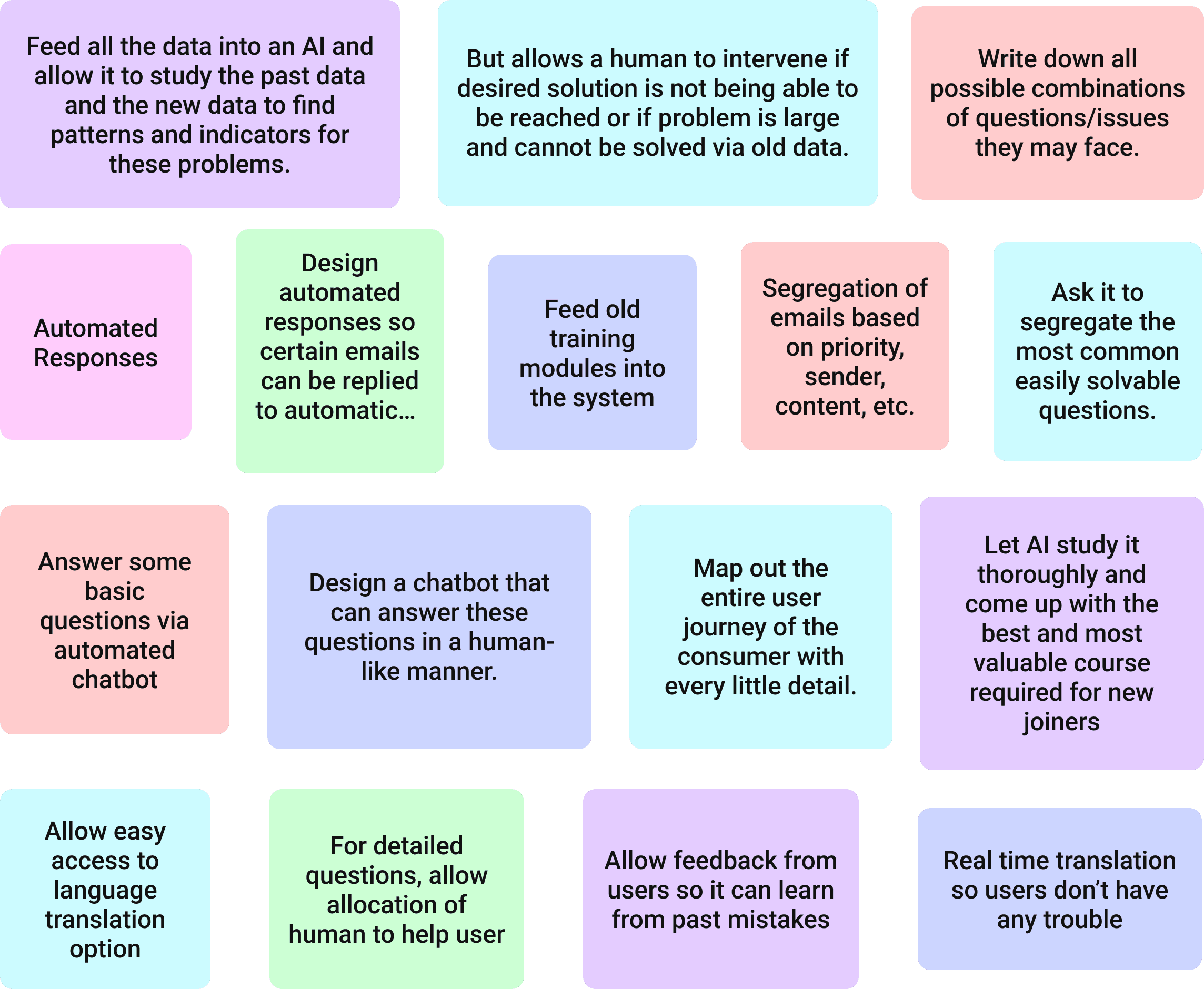
We ran a popcorn brainstorming session where all ideas went on the table without filtering. From that session, three core design principles emerged that guided every decision after it:
AI suggests, humans approve No fully automated actions without agent sign-off. Every AI output is a starting point, not a final answer.
Speed over comprehensiveness Surface the most relevant information first, not everything. Agents are under time pressure and a cluttered interface makes that worse.
Language should never be a barrier Translation must be invisible and instantaneous. An agent should never have to think about what language a ticket was written in.
These three principles acted as a filter for every design decision throughout the project. If something conflicted with them, it got cut.
Meet Ashley A service desk agent overwhelmed by ticket overload. She needs to quickly identify priorities, provide accurate translations, and resolve customer queries efficiently. Her biggest frustration is constantly switching between tools to piece together the context she needs to actually help someone.
Ashley's context-switching directly informed the decision to build a single-screen dashboard where ticket translation, response suggestion, and case history all live in one unified view instead of across three separate tools.
User Flow Mapping Ashley's current journey revealed that resolving a single ticket required 7 tool switches and 4 manual copy-paste actions. The redesigned flow reduced this to a single continuous interface with zero context switching. Every step a user took had to move them forward, not sideways.
Lo-fi exploration tested two layout approaches: a multi-panel dashboard and a single-flow sequential view.
Agent feedback in early testing strongly preferred the dashboard model. The reason was straightforward: agents needed to see everything at once to make fast decisions. A sequential flow meant more clicking, more waiting, more cognitive load.
The dashboard model became the foundation for every iteration that followed. This was a research-driven decision, not an aesthetic one. Agents told us what they needed and the layout responded to that directly.
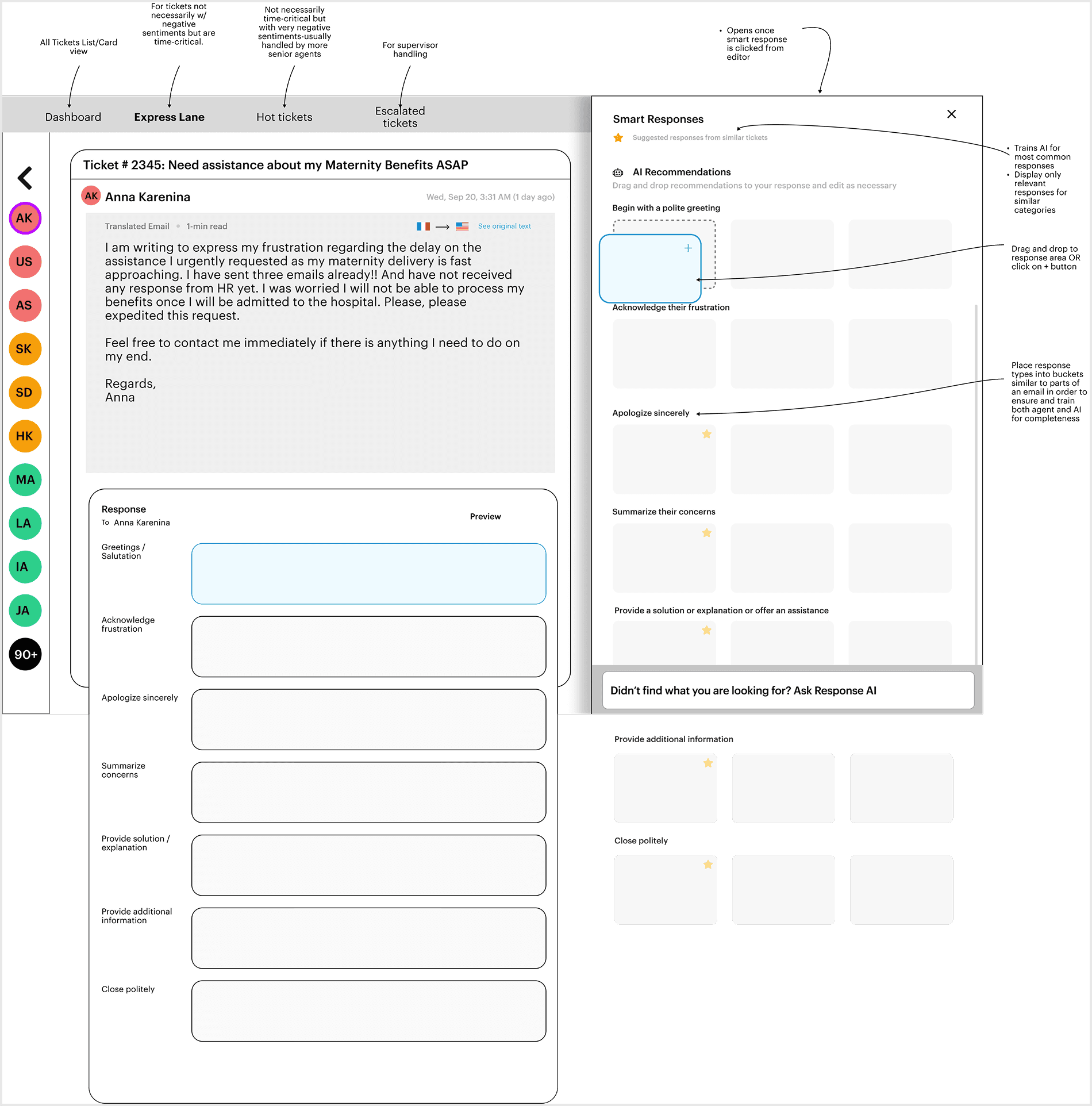
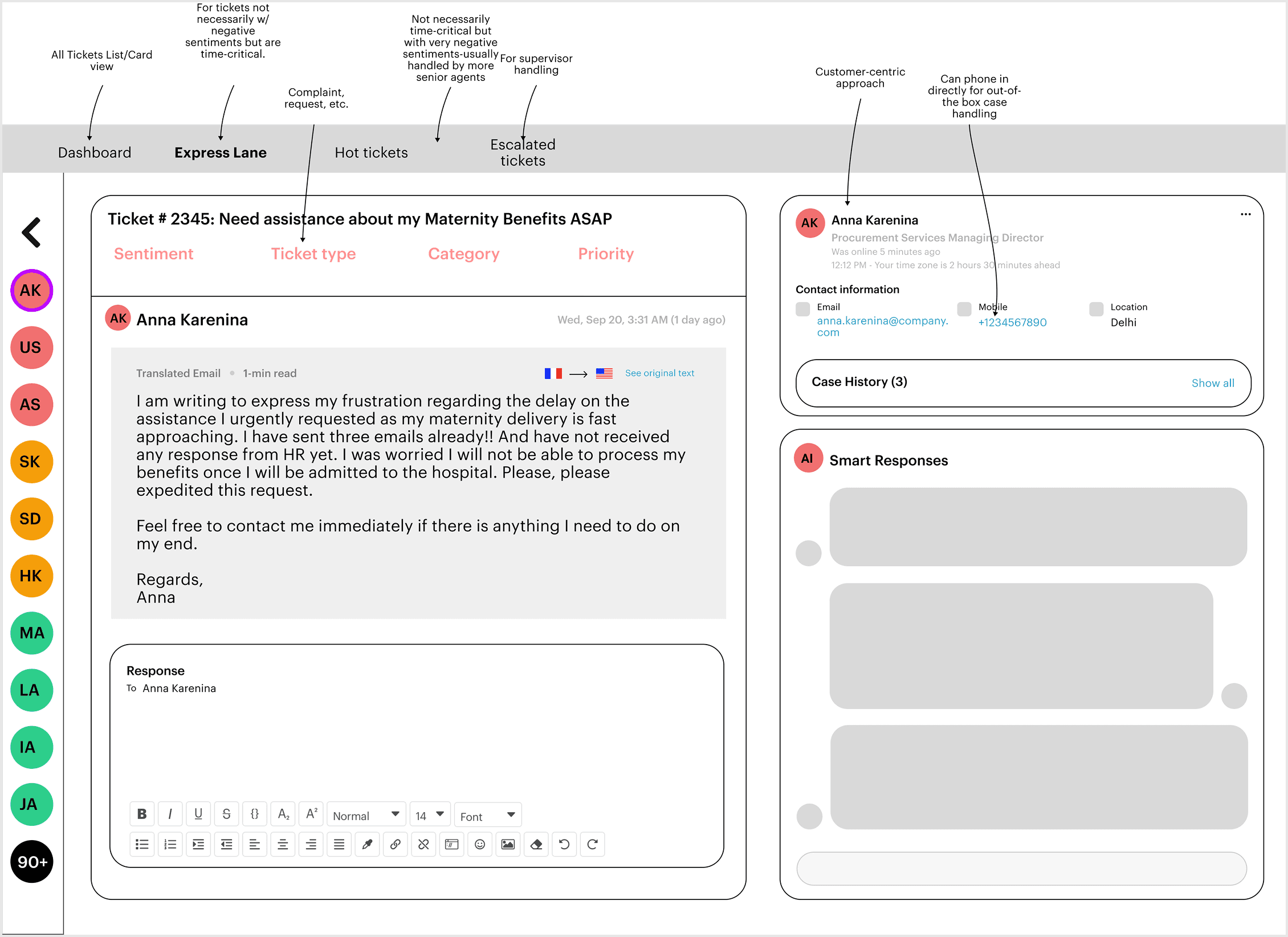
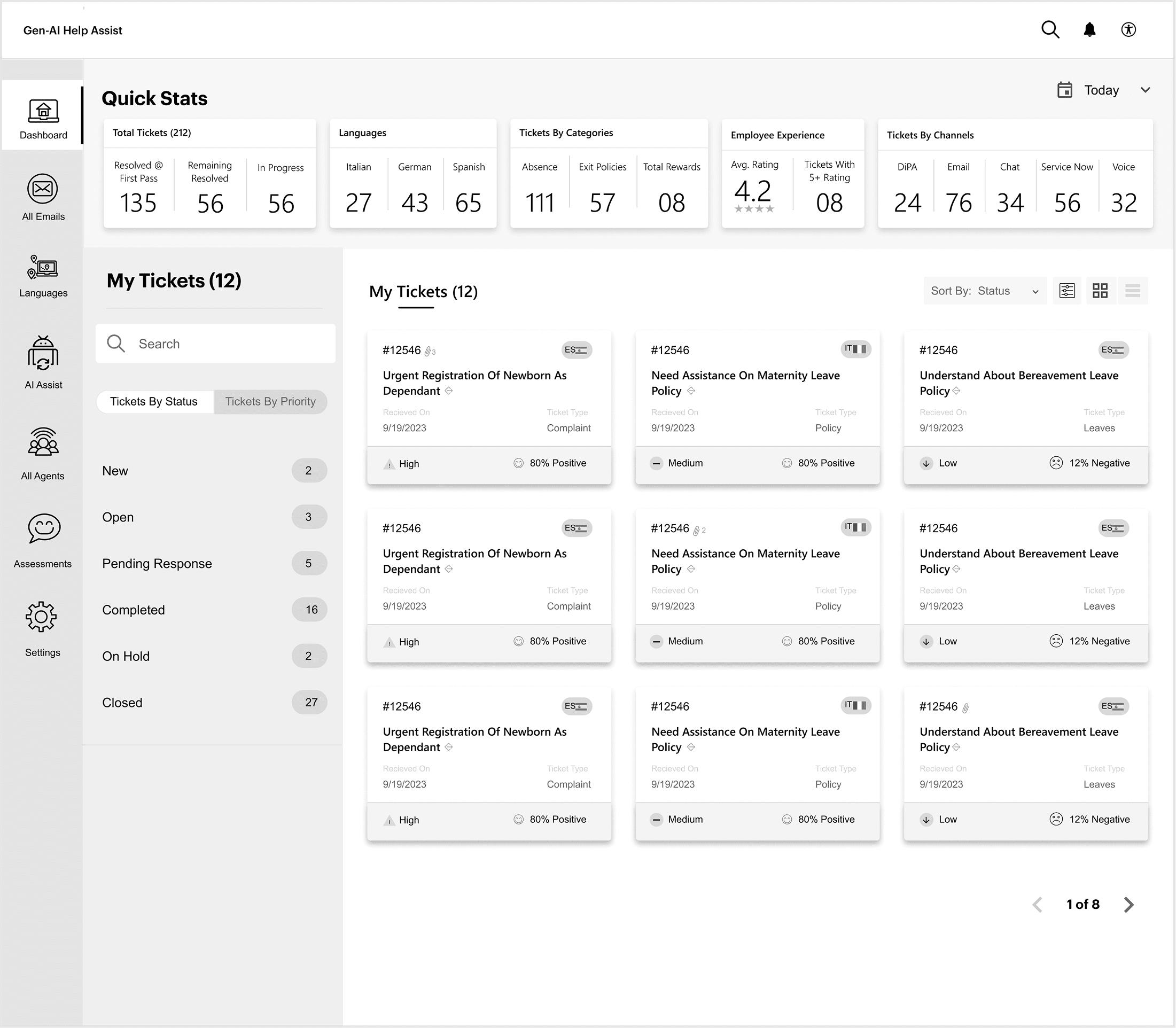
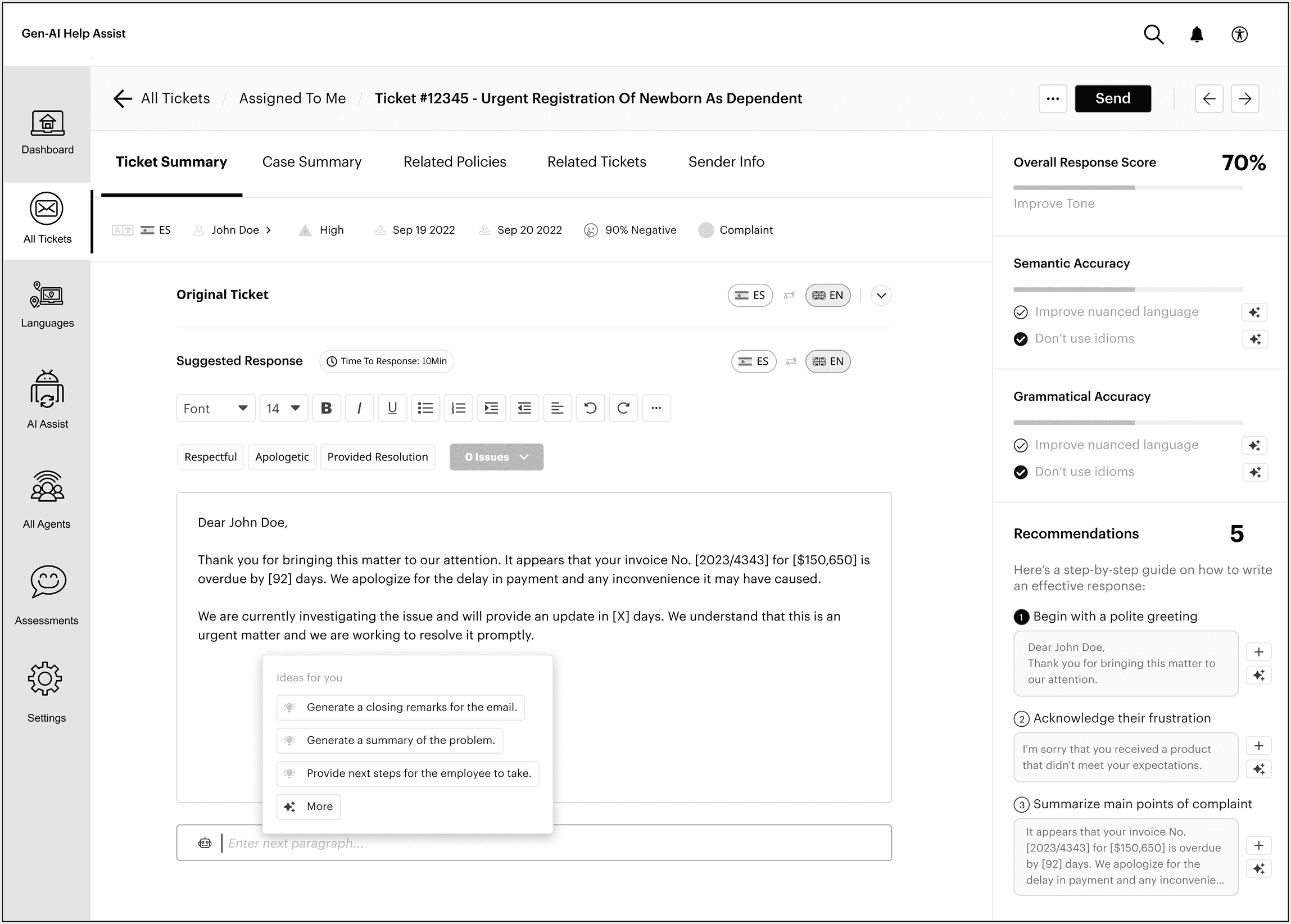
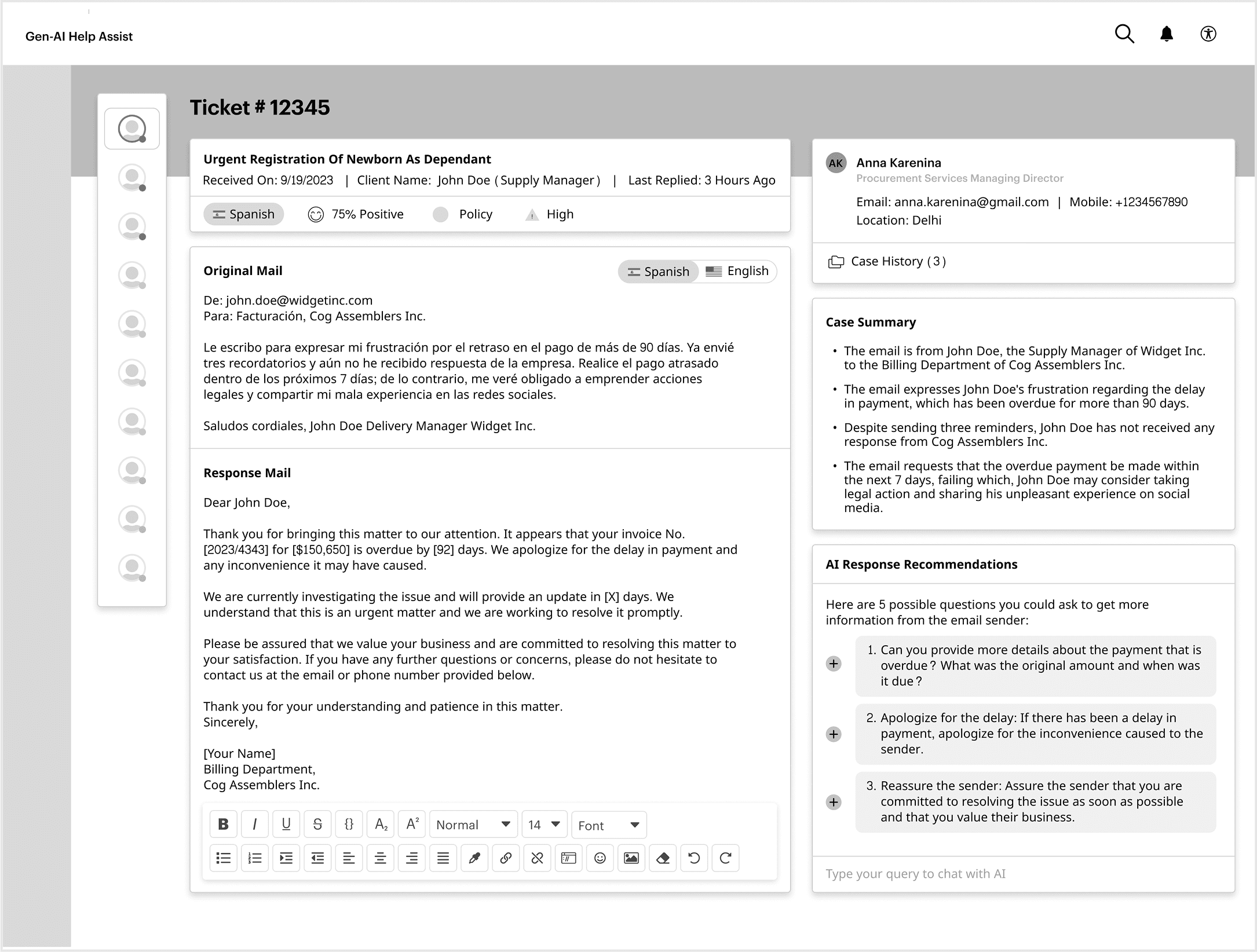
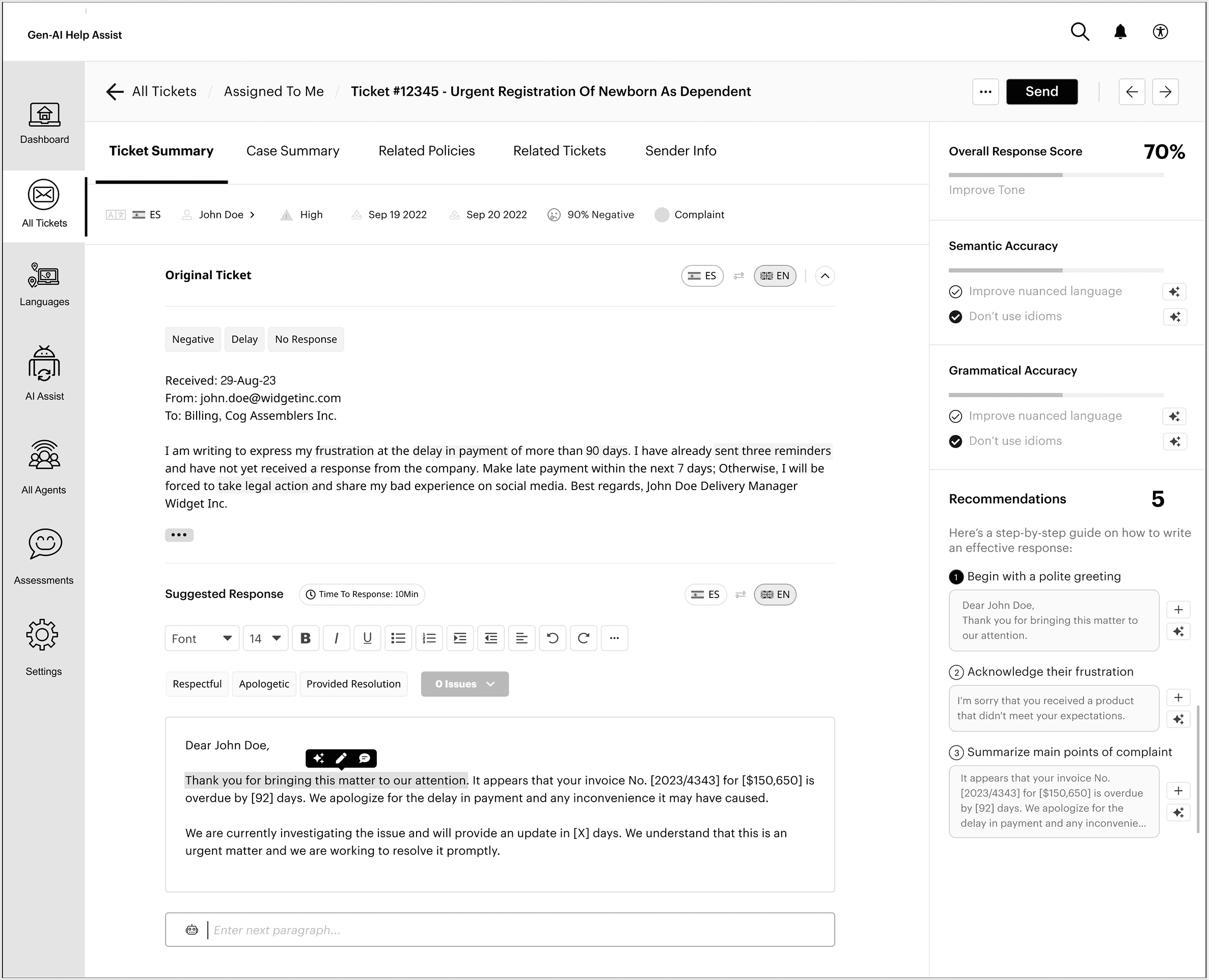
High-fidelity screens brought the research principles to life across three core features:
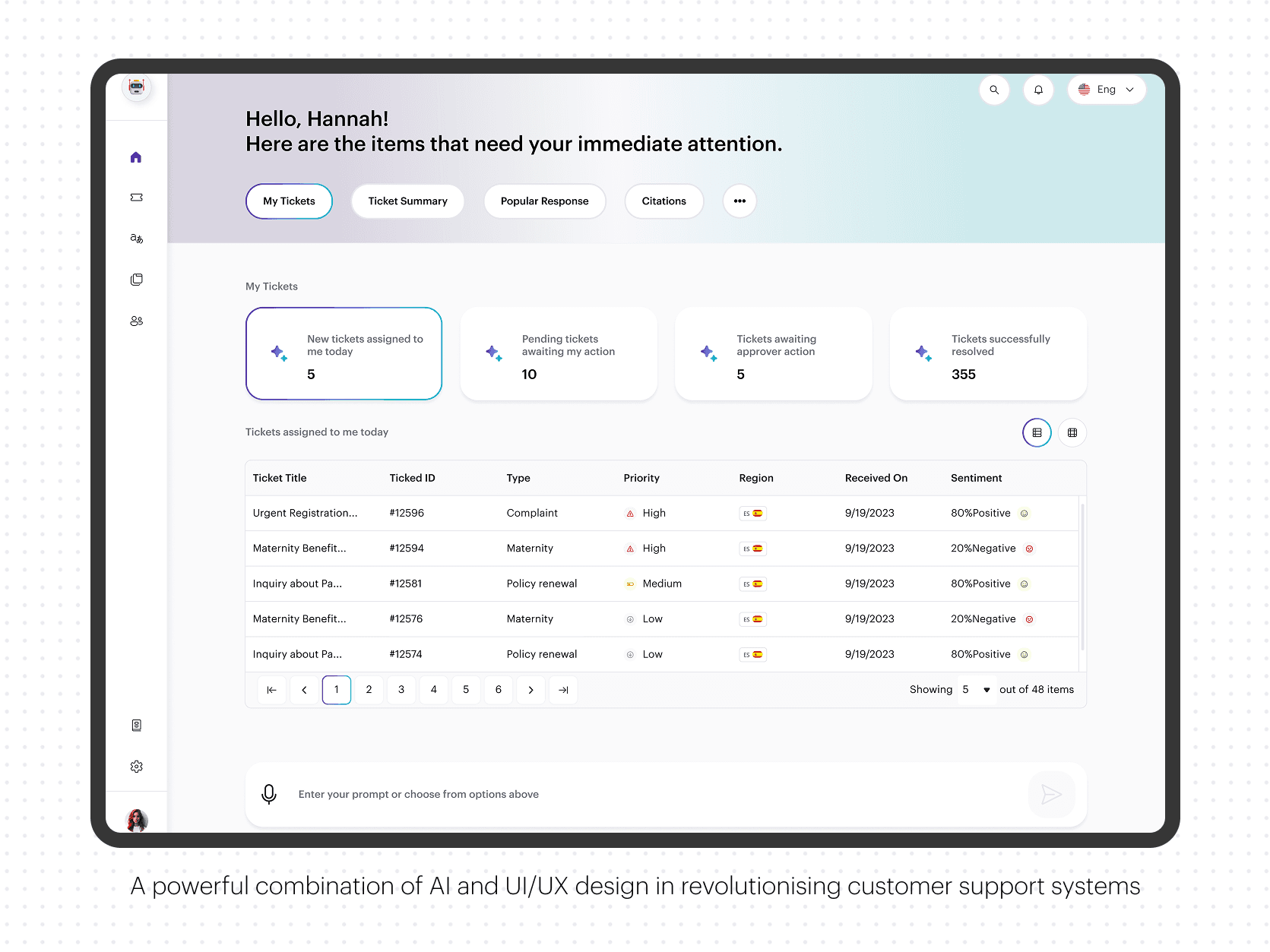
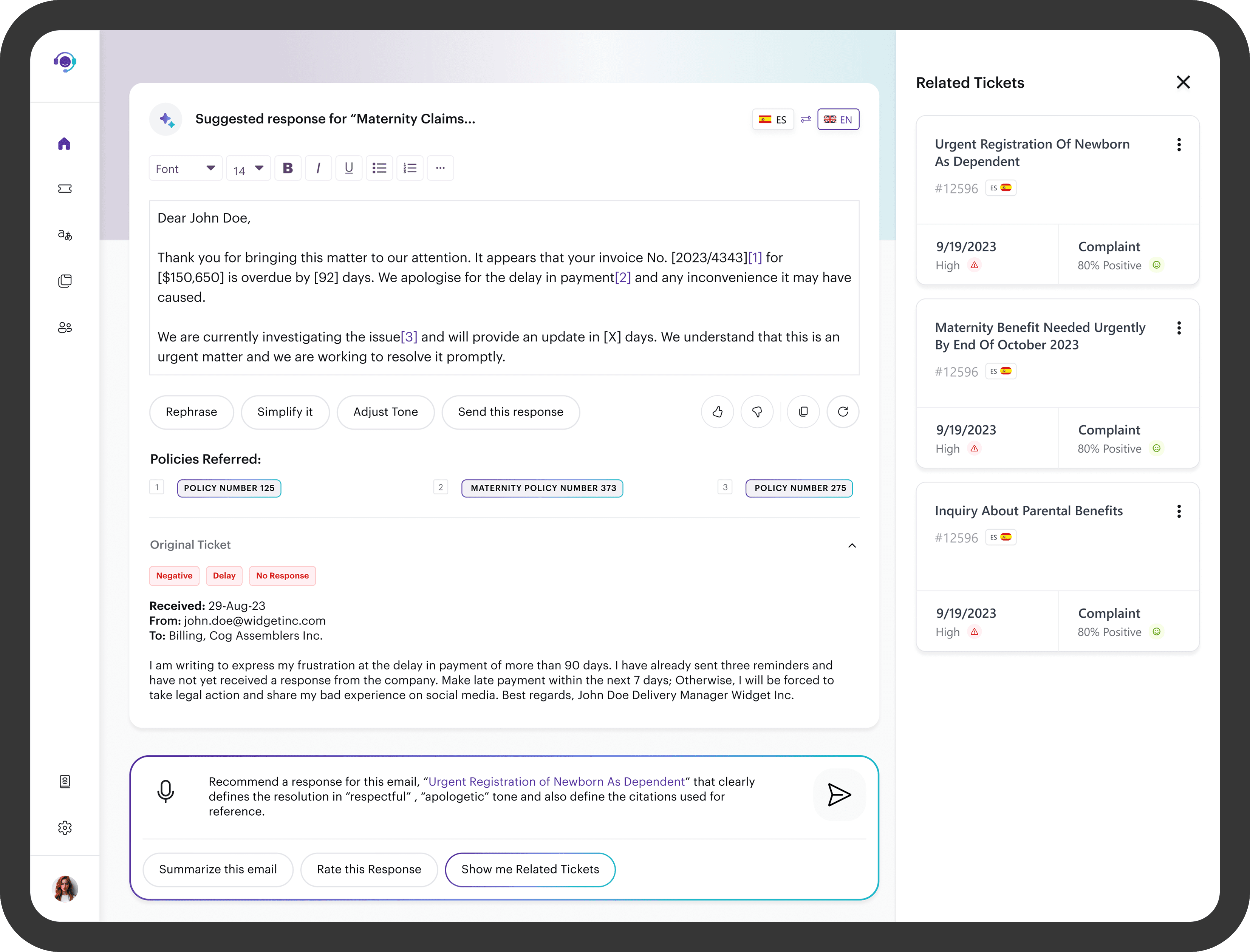
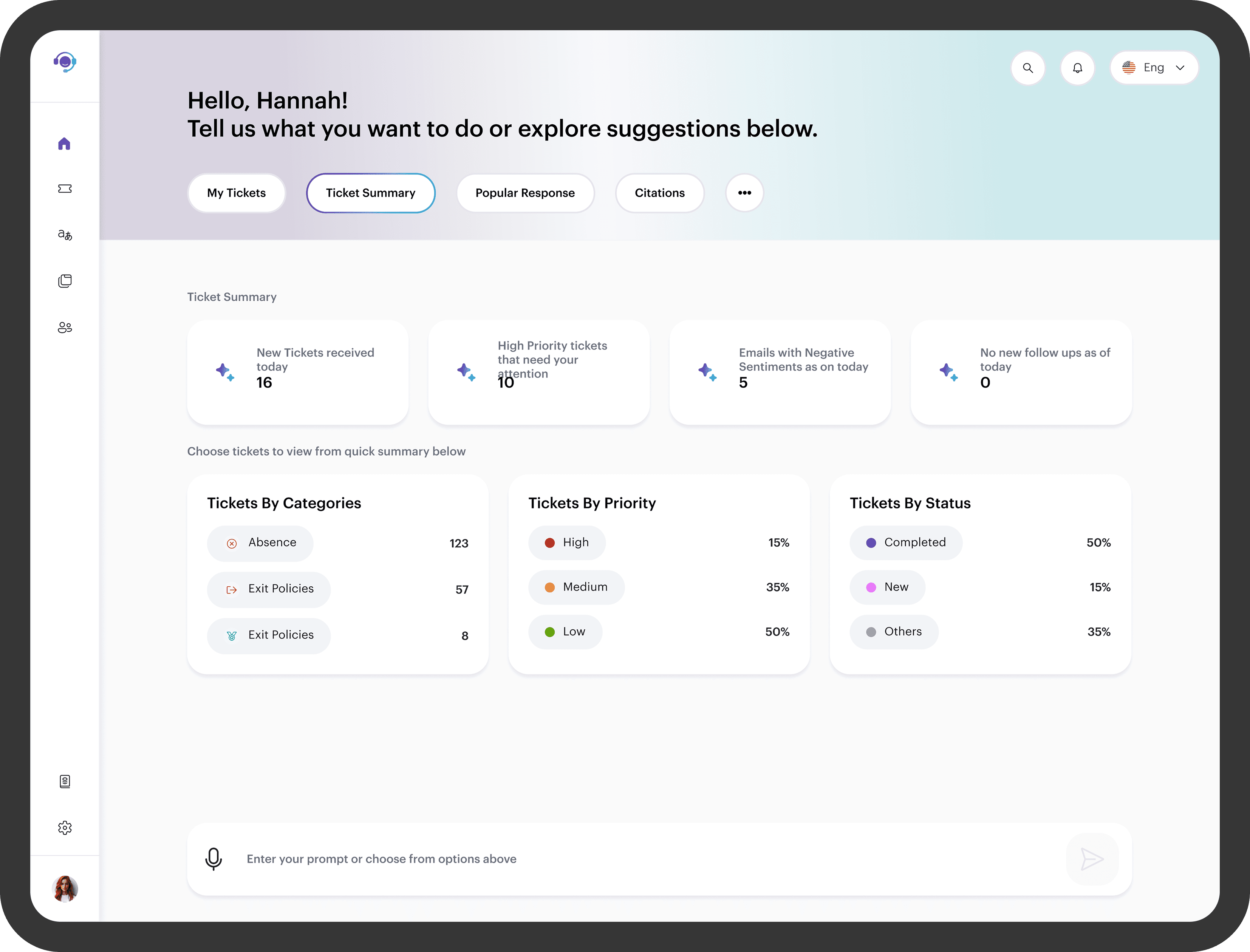
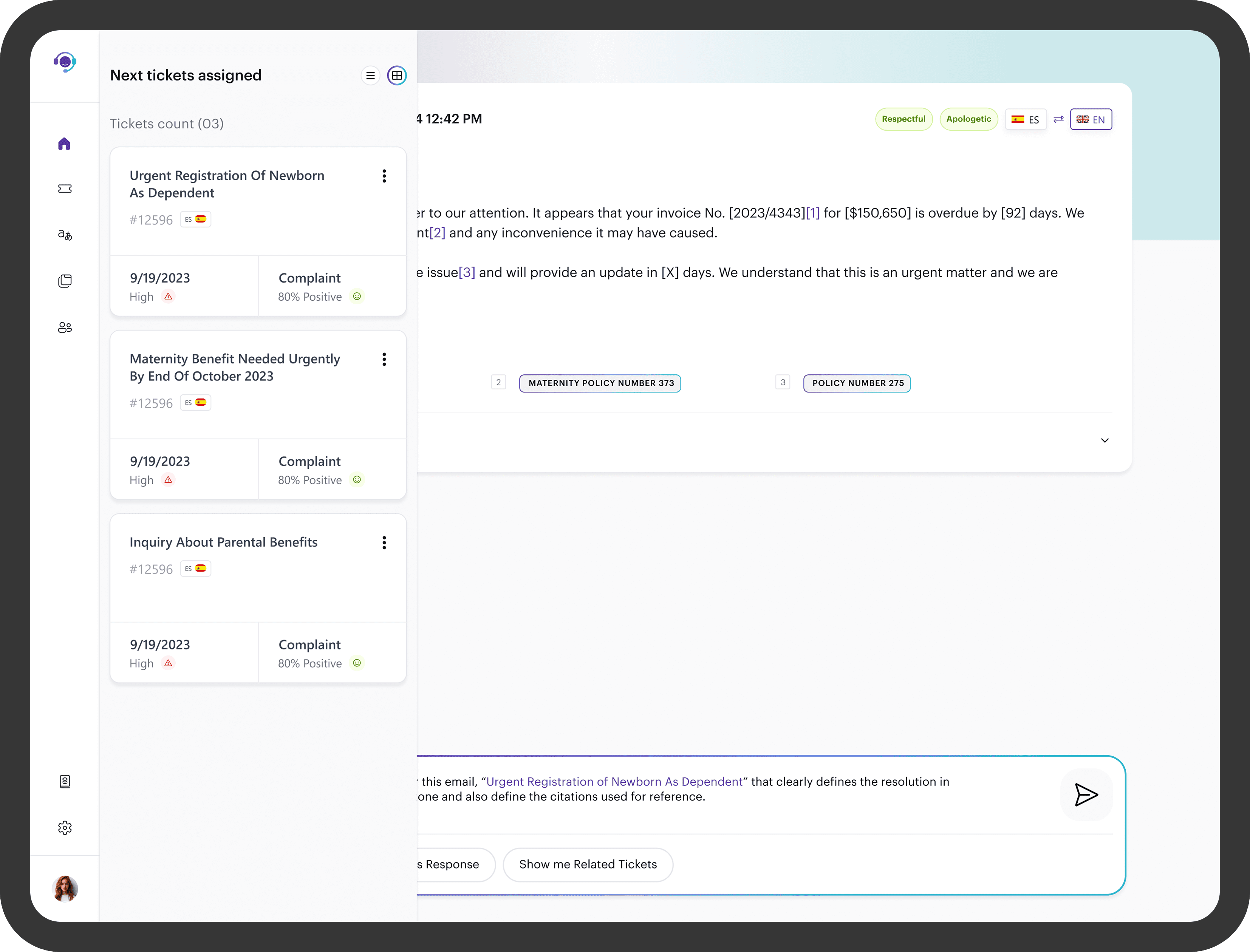
Unified Dashboard Surfaces the active ticket, AI translation, suggested response, and case history in a single view. Agents no longer switch between tools mid-conversation. Everything needed to resolve a ticket is visible without scrolling.
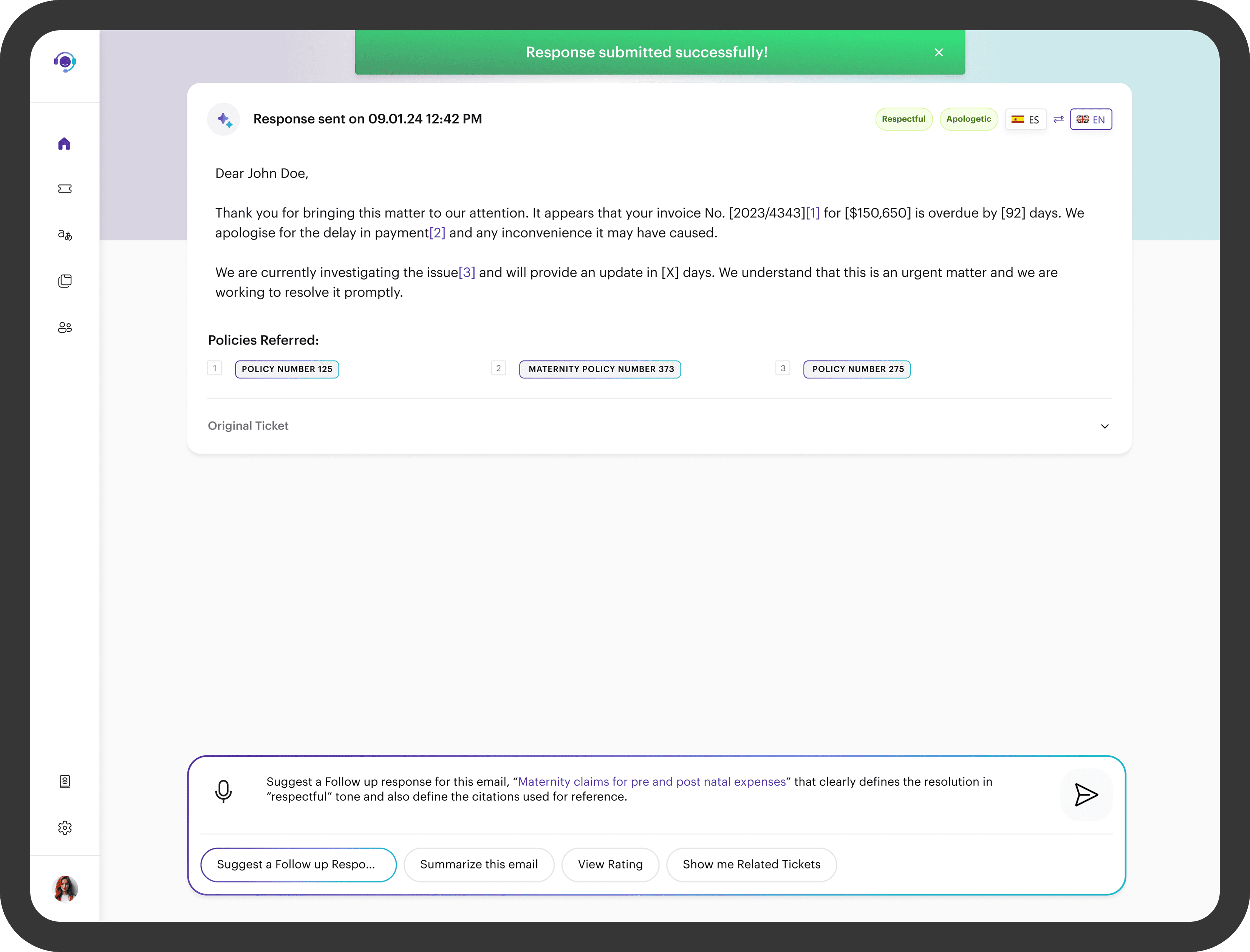
AI-Generated Response with Confidence Indicator The suggested response appears in an editable field with a confidence score attached. Agents can review, edit, and approve before sending. This directly addressed the trust gap from research: agents felt in control rather than replaced. Drafting time dropped from around 4 minutes to under 60 seconds.
Agent Feedback Loop Agents can rate AI suggestions after each interaction. This creates a feedback loop that improves model accuracy over time and gives agents a sense of ownership over the tool's quality. The system gets better the more it is used.
The component library built for this project later became the foundation for a reusable design system used across 3 product teams at Accenture, reducing inconsistencies in future enterprise builds.
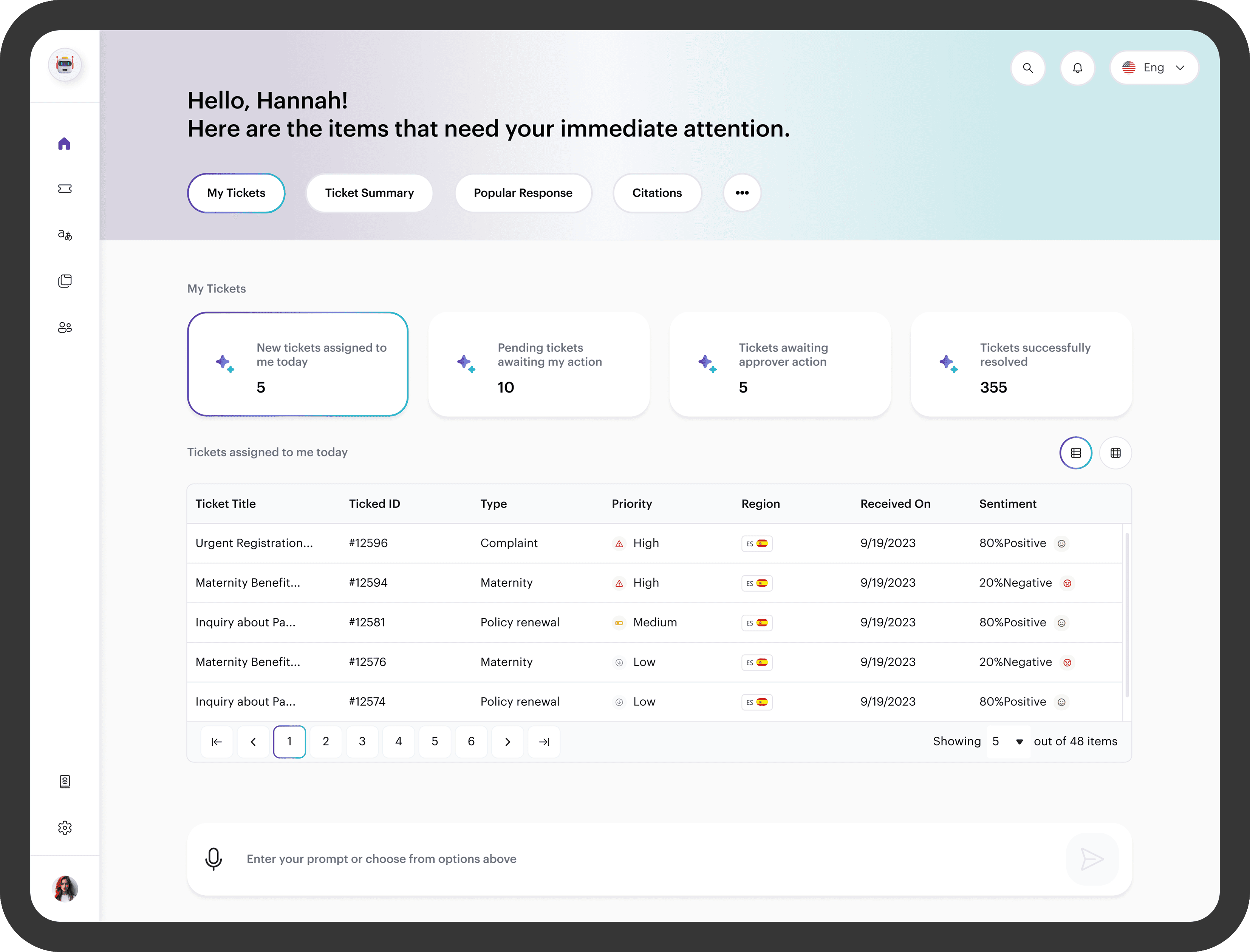
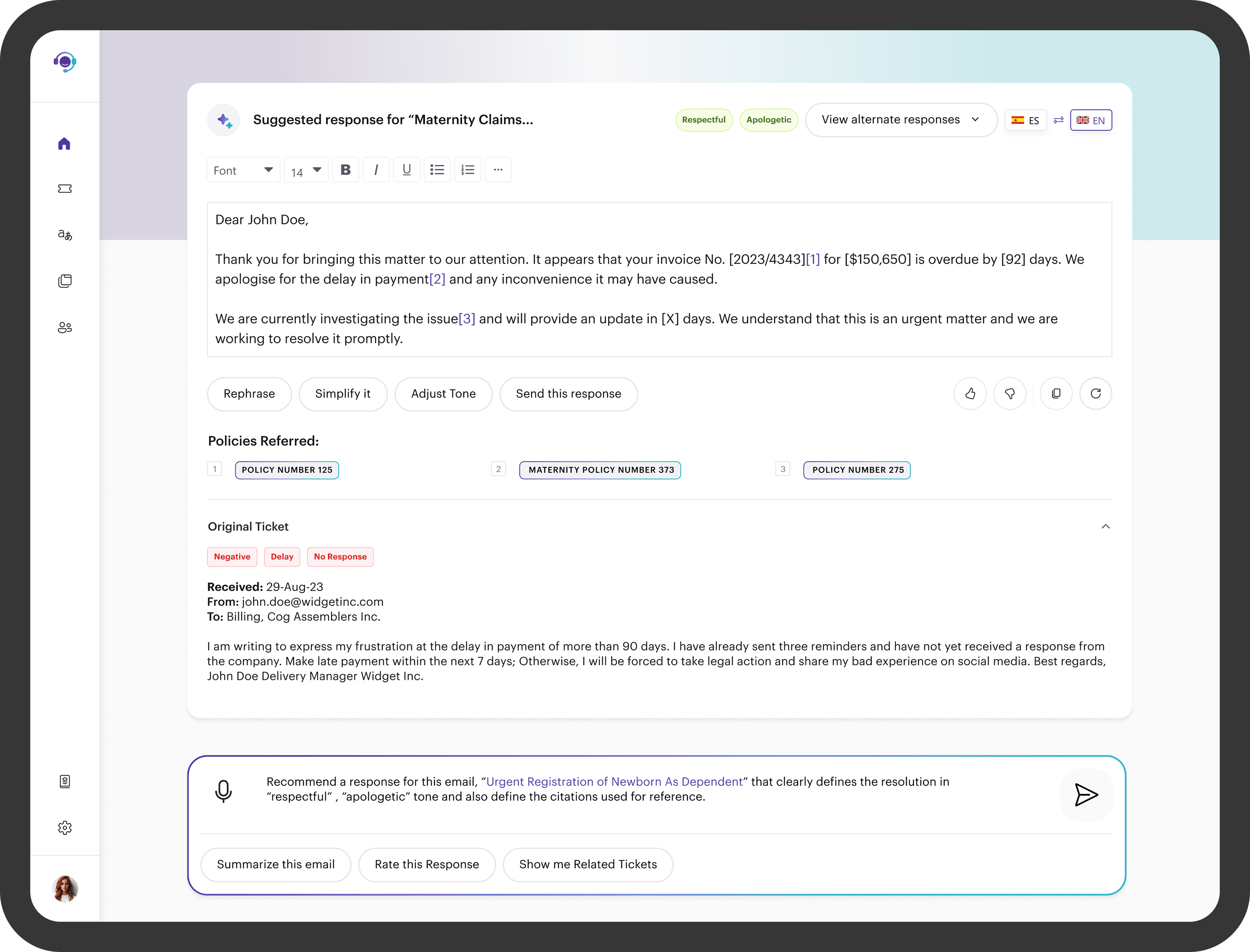
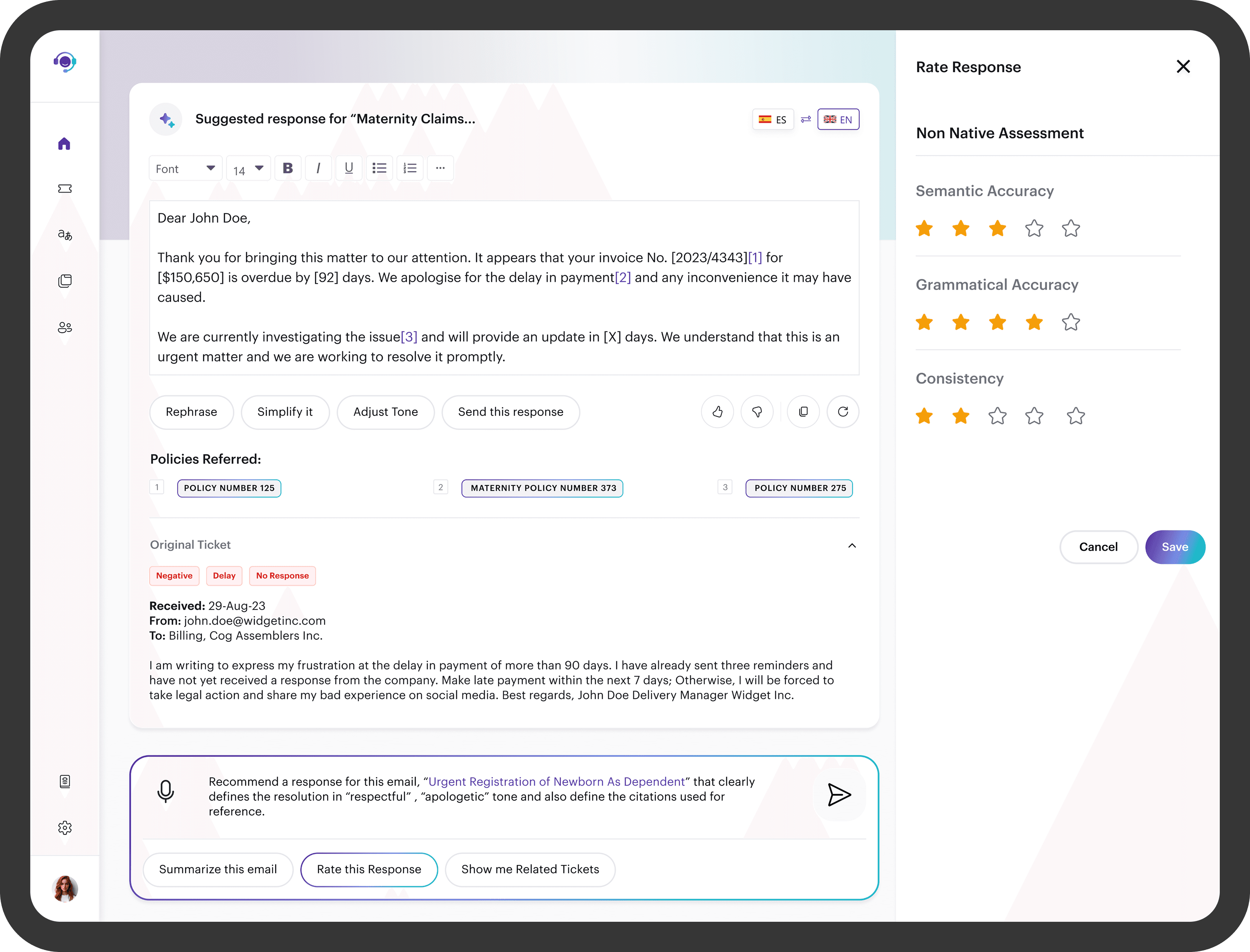
Response Speed: Automated translation and response suggestions reduced average ticket resolution time significantly. Agents reported handling more tickets per shift without increased effort.
Accuracy: AI-assisted responses reduced miscommunication incidents, particularly for multilingual tickets where manual translation errors were most common.
Agent Experience: Post-launch feedback showed agents felt more in control and less overwhelmed. The tool removed repetitive tasks while keeping human judgment at the center of every interaction.
Stakeholder Reception: The prototype was presented to and approved by senior stakeholders at Accenture, validating the design direction for further development.
What I Learned
The hardest part of designing for AI-assisted workflows isn't the AI. It's the trust gap.
Agents were initially skeptical of automated suggestions, worried it would undermine their expertise. The design solution wasn't just a UI. It was a trust-building system where every interaction was designed to make agents feel in control, not replaced.
I also learned that enterprise constraints are design constraints. Working within Accenture's technical stack, security requirements, and approval process forced me to design for implementation, not just ideal conditions. That tension made me a more pragmatic and realistic designer.
If I were to continue this project I would build out an analytics dashboard for team leads, explore proactive ticket routing based on agent availability and language skills, and test a knowledge base auto-generation feature using resolved ticket history.